Introduction: The Challenge of Organic Growth
As businesses expand, their networks often become fragmented and vulnerable. This was the situation faced by a rapidly growing company in Bicol, Philippines that sought my assistance.
During my assessment, I discovered a flat network with unmanaged switches, no centralized monitoring, and minimal security enforcement. Remote teams also lacked a reliable and structured way to access internal resources.
To resolve these challenges, I recommended a full network overhaul—prioritizing security, visibility, and control—while leveraging open-source solutions to remain cost-effective.
Initial Assessment: A Flat, Fragile Network
Here’s what I found during the initial audit:
- Edge setup: A pfSense router-firewall connected to two WAN links in a load-balanced configuration, though the third ISP subscription was unused. Failover was handled manually by IT staff, who physically switched Ethernet cables whenever the primary WAN went down.
- Switching layer: Two stacked 48-port Dell switches were present but misconfigured—running without VLANs, with all ports assigned to the default VLAN 1.
- Redundancy gaps: Network resilience was limited. Only one of two hypervisors used NIC teaming, and the stacked switches relied on a single uplink to the firewall.
- Applications: Core business systems included SAP Business One running on a single-node MS SQL Server instance.
- Remote access: No VPN solution was in place. Warehouse staff connected to the ERP by remoting into office workstations over AnyDesk.
- Monitoring: There was no telemetry or monitoring system, making performance troubleshooting impossible.
At the time, another consultant was attempting to address database performance issues and configure high-availability/failover on the database. However, without monitoring tools, any insights were speculative.
The Strategy
To stabilize and modernize the infrastructure, I focused on these strategic goals:
- High-availability and redundancy improvements
- Network segmentation to isolate systems and reduce risk
- VPN access for secure and seamless remote work
- Infrastructure monitoring for real-time visibility and proactive incident detection
Ensuring High-Availability
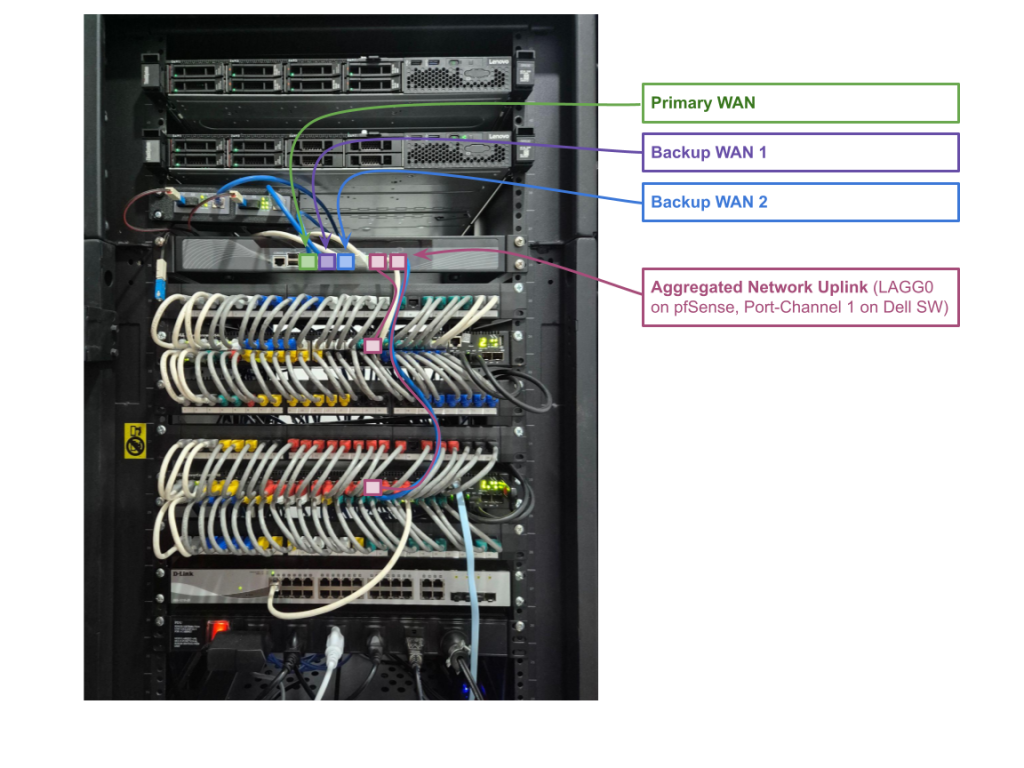
To ensure high-availability on the WAN side, I’ve updated the company’s pfSense FW’s WAN configuration. Ports 1 through 3 on the pfSense FW (interface igb0 until igb2) were reconfigured to be dedicated WAN interfaces. Appropriate gateway configs and firewall rules were placed to ensure seamless failover among the WAN uplinks.
I’ve also configured Link Aggregation between the pfSense and the Dell switches. Each member link of the LAG was terminated on separate physical switches within the stack to eliminate a single point of failure at the switch level.
Figure 1 shows the result after configuring multi-WAN and link-aggregation on the company’s network.
Network Restructuring: Introducing VLANs
I then implemented VLANs to segment the network into:
- DMZ – restricted network for public-facing services (VPN gateway, reverse proxy, etc.)
- Services/Applications – internal network services (AD, DNS) and applications including the SAP B1 and MS SQL databases
- Office – for internal/office desktops, workstations
- WiFi – for BYOD and mobile devices
- Management – for accessing switch, firewall, and hypervisor interfaces
Firewall rules were designed around the principle of least privilege, allowing only essential communication between segments.
Figure 2 provides a visual representation of the network segmentation.
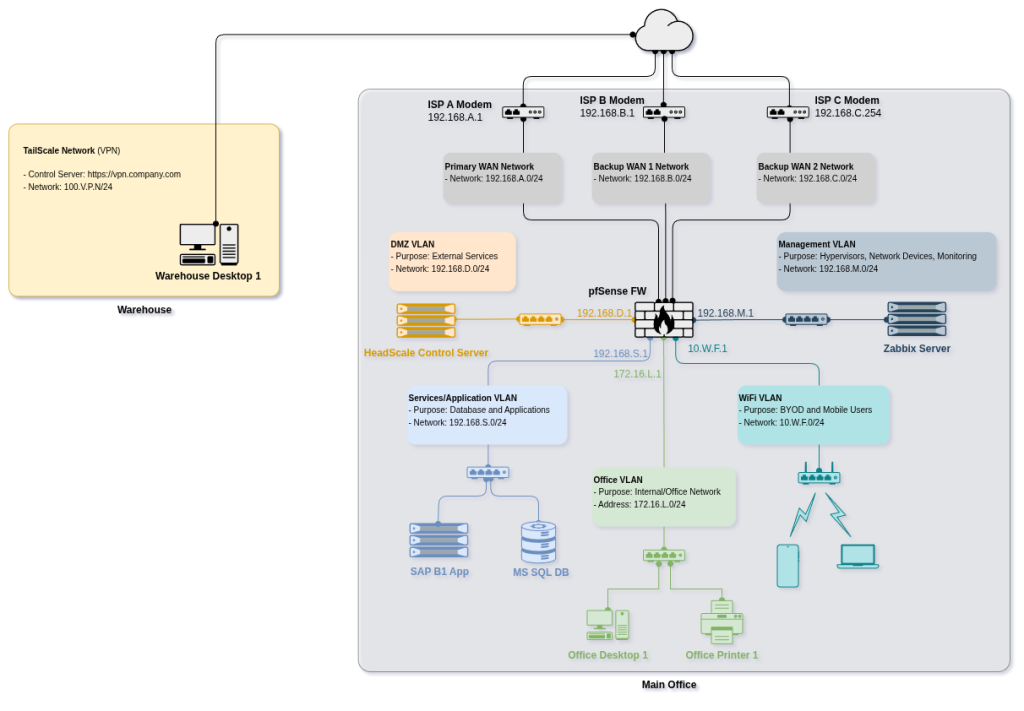
Important! The network and IP addresses shown are for demonstration only and do not represent the actual addressing scheme in use.
VPN Deployment: Headscale with Headplane UI
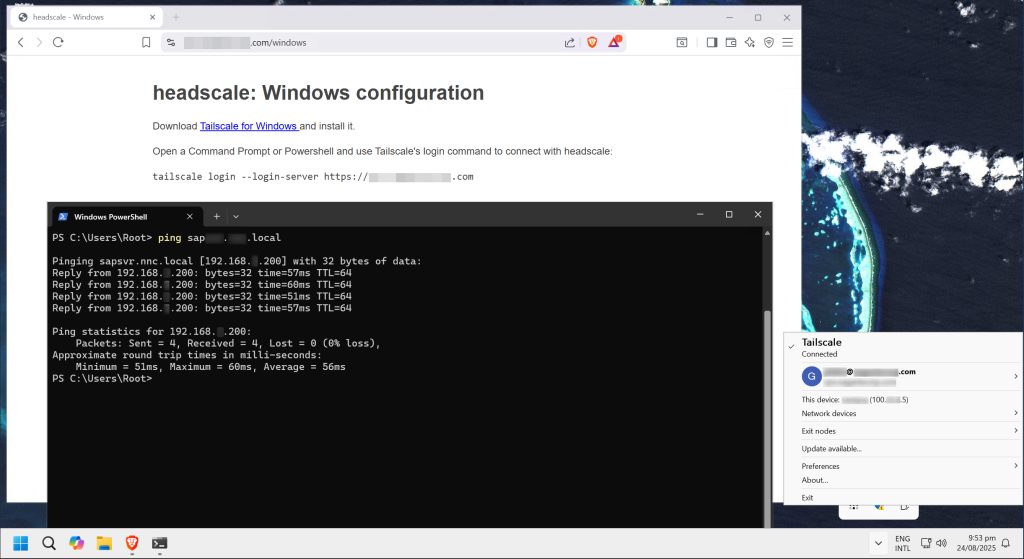
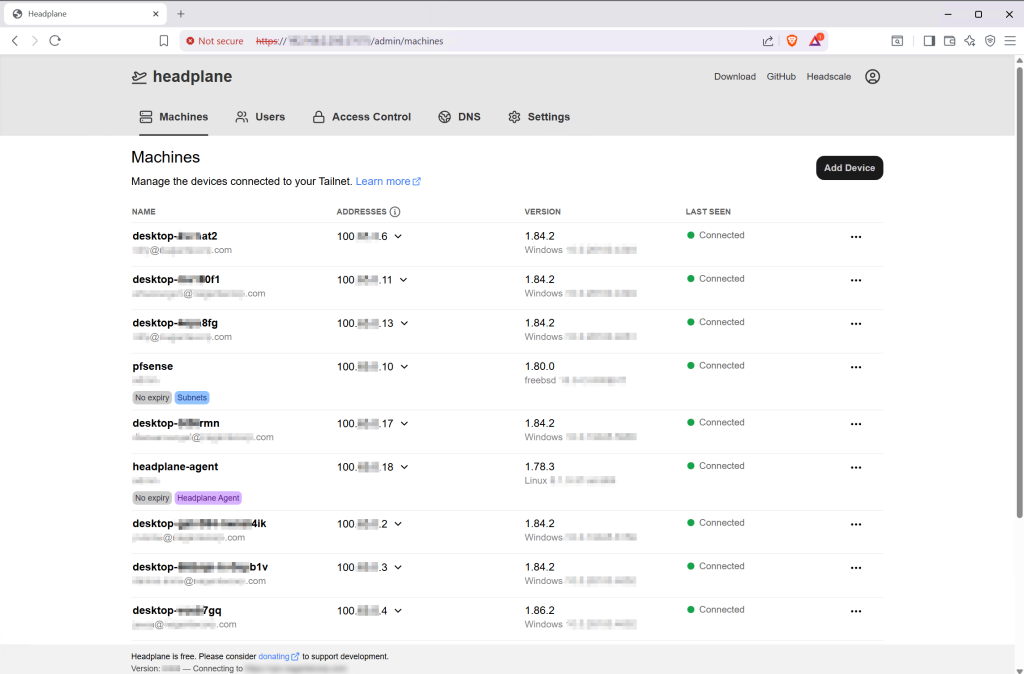
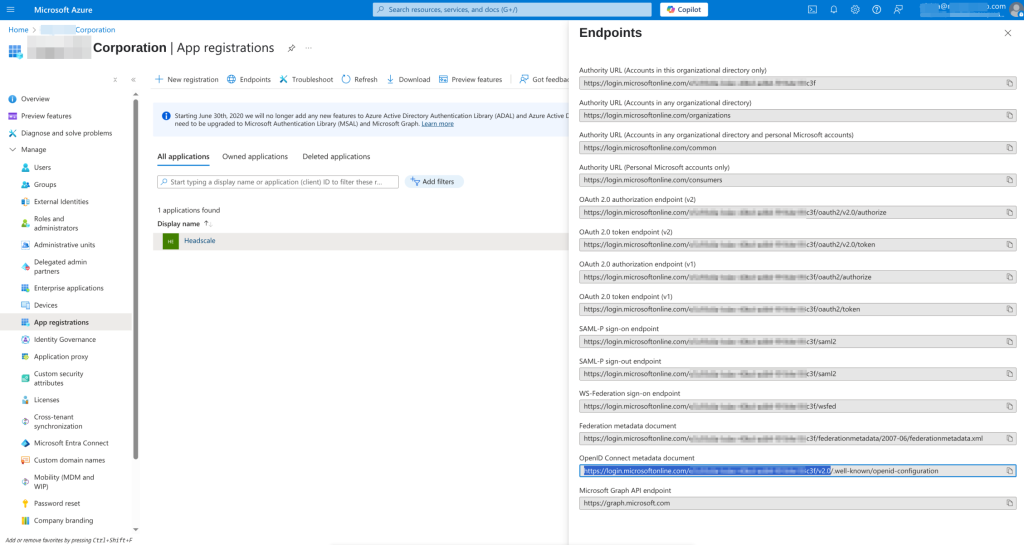
For secure remote access, I deployed Headscale, a self-hosted coordination server for Tailscale using WireGuard. Headscale was integrated with the company’s Azure AD using OIDC to enable secure authentication for both users and devices (see Figure 3). To simplify administration, I deployed Headplane, a web-based management interface for Headscale (see Figure 4).
Monitoring with Zabbix
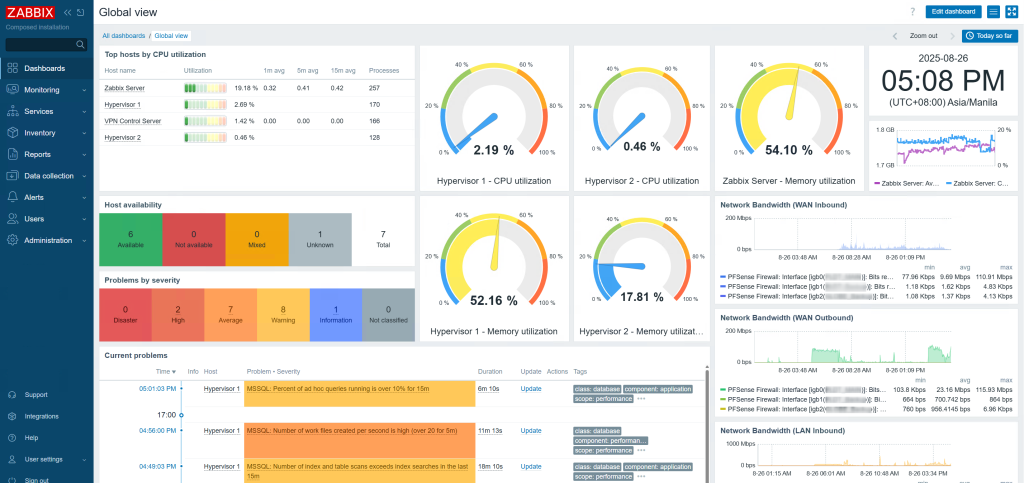
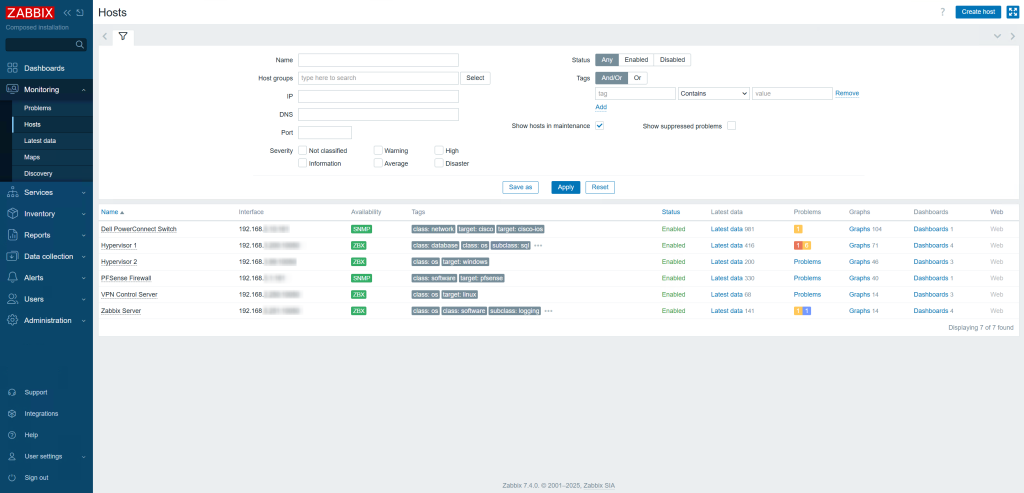
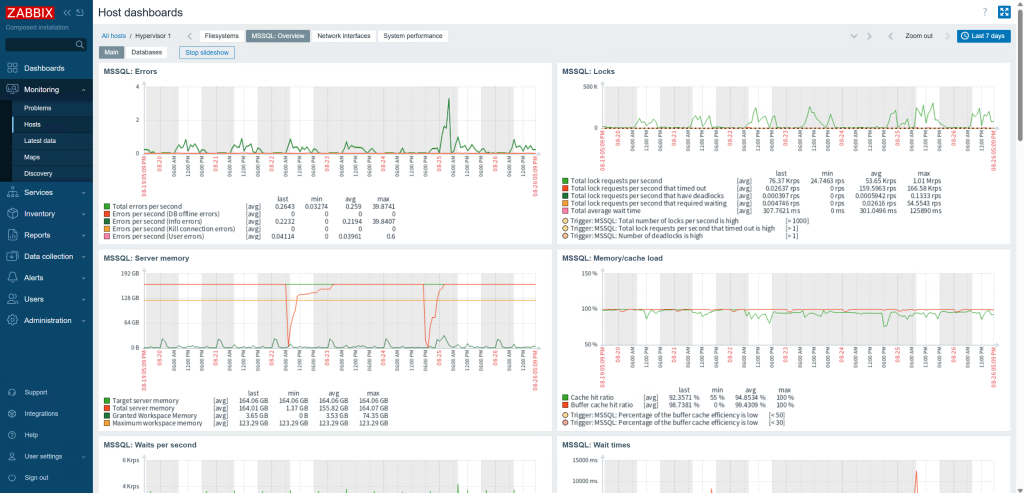
I implemented Zabbix to provide real-time visibility (see Figure 5) into:
- Network devices (pfSense Firewall and Dell switches), Hypervisors, and Windows and Linux VMs status
- Database performance and availability
This allowed the IT team to track performance trends, troubleshoot issues efficiently, and plan capacity upgrades.
Supporting Tools Used
Several additional tools played key roles in deployment, security, and automation:
- Nginx – used as a reverse proxy for exposing Headplane and other internal services securely with HTTPS
- Docker & Docker Compose – for simplified, consistent deployment of Headscale, Headplane, and related services

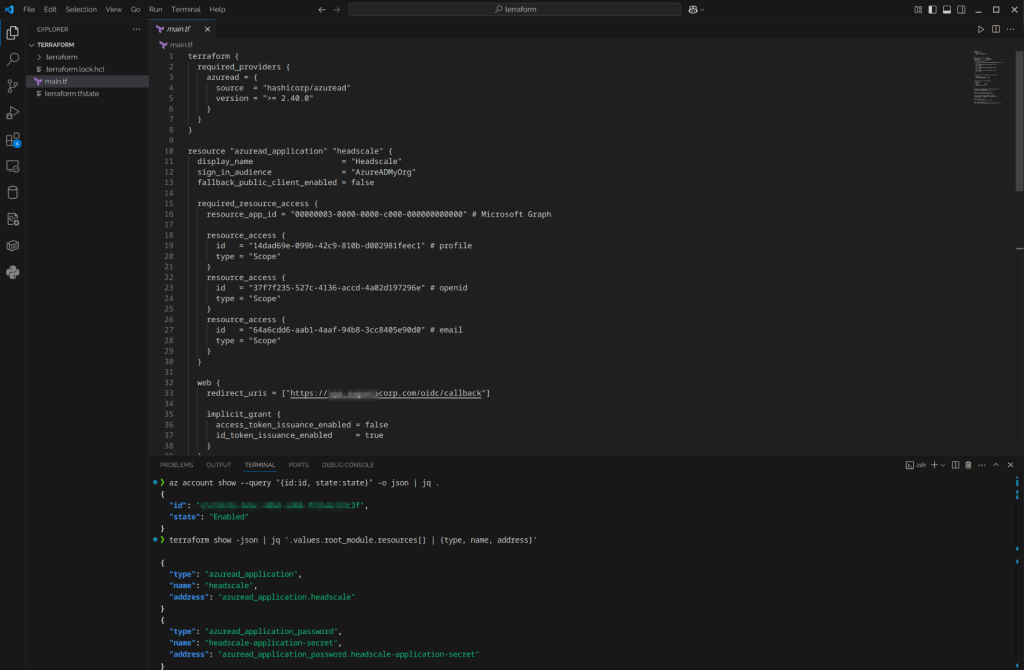
Script was adapted from the example provided by the Headscale team,
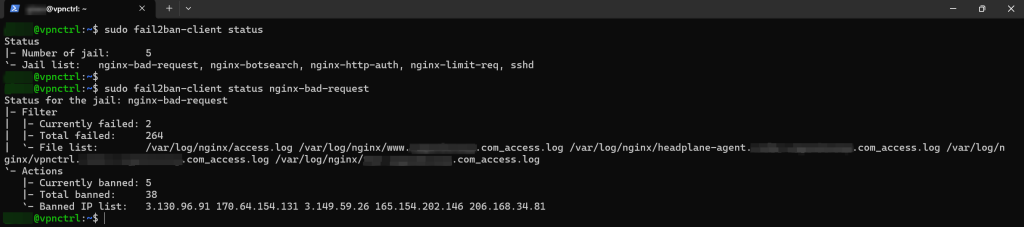
- Fail2ban – to monitor logs for abuse and block IPs triggering multiple repeated HTTP 4xx errors
Key Results
- Multi-WAN and LAG deliver a resilient, always-on network with seamless fault tolerance
- Segmented VLANs greatly enhanced security and control
- VPN enabled secure remote access for warehouse staff and admins
- Infrastructure monitoring brought actionable visibility to IT operations
- All achieved using open-source solutions, with no licensing costs
What’s Next for the Client?
To further strengthen the environment, I recommended:
- Centralized logging with SIEM integration for log correlation and threat detection using Graylog or Wazuh
- Real-time alerting from Zabbix via:
- Signal for mobile notifications
- Microsoft Teams for team-based escalation
- Automated configuration backups for firewalls, switches, and servers
Final Thoughts
This project shows that with the right mix of open-source tools, any growing company can build an IT infrastructure that is secure, resilient, and operationally efficient.
By leveraging solutions like pfSense, Headscale, Zabbix, and Docker, we delivered enterprise-grade results without expensive licensing fees—demonstrating that open-source can be both powerful and practical.